![New Founders Software-White.png]](https://help.intelligentbits.com/hs-fs/hubfs/New%20Founders%20Software-White.png?height=50&name=New%20Founders%20Software-White.png)
Navigate to the Reporting tab, then select Operations.
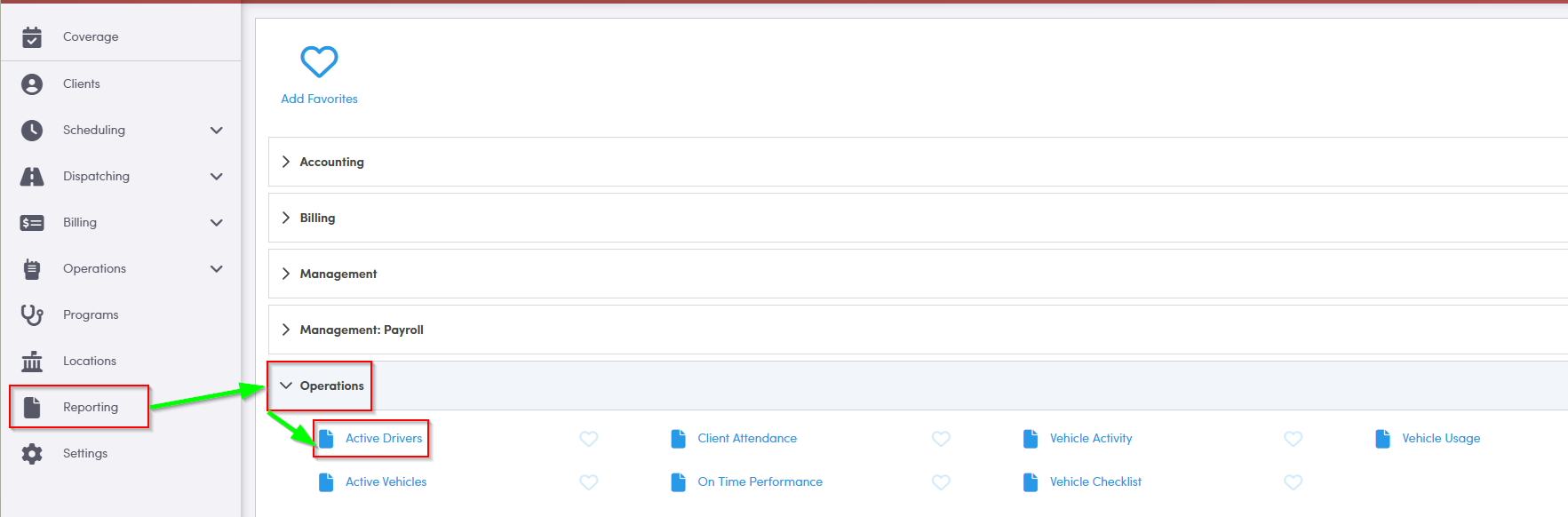
1. Double-click Active Drivers to generate the report.
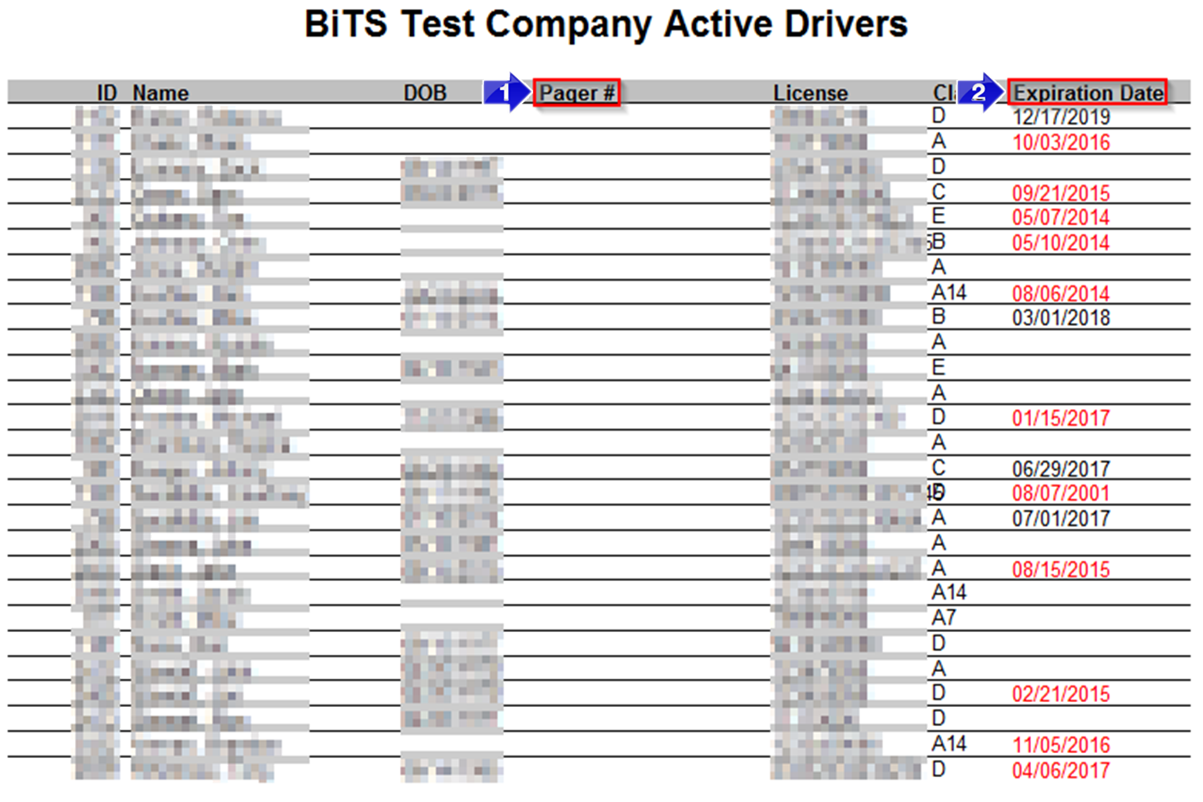
1. A Pager # will generate in this column if there is a phone number in the Mobile field in the Employee Profile.
2. You can review the driver license Expiration Date in this column. Dates in red text are expired.
Key Terms: Driver, Expiration, License, Page, Report, ReportingFormHelp