![New Founders Software-White.png]](https://help.intelligentbits.com/hs-fs/hubfs/New%20Founders%20Software-White.png?height=50&name=New%20Founders%20Software-White.png)
Navigate to the Reporting tab, then select Operations.
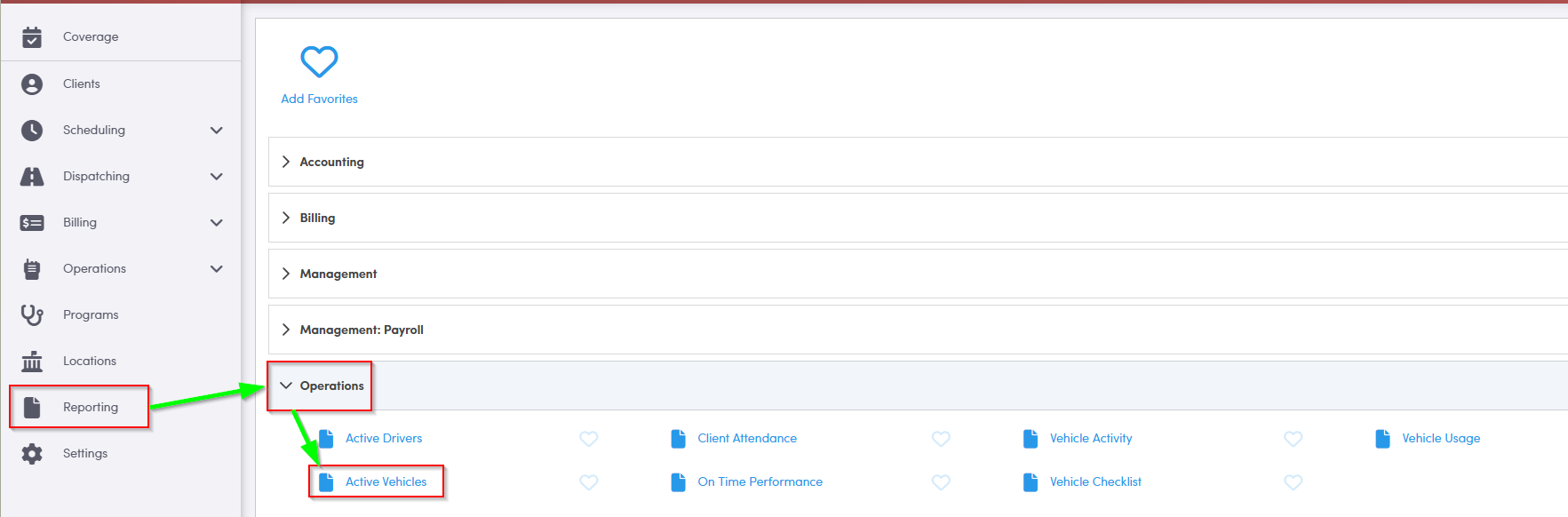
1. Double-click Active Vehicles to generate the report.
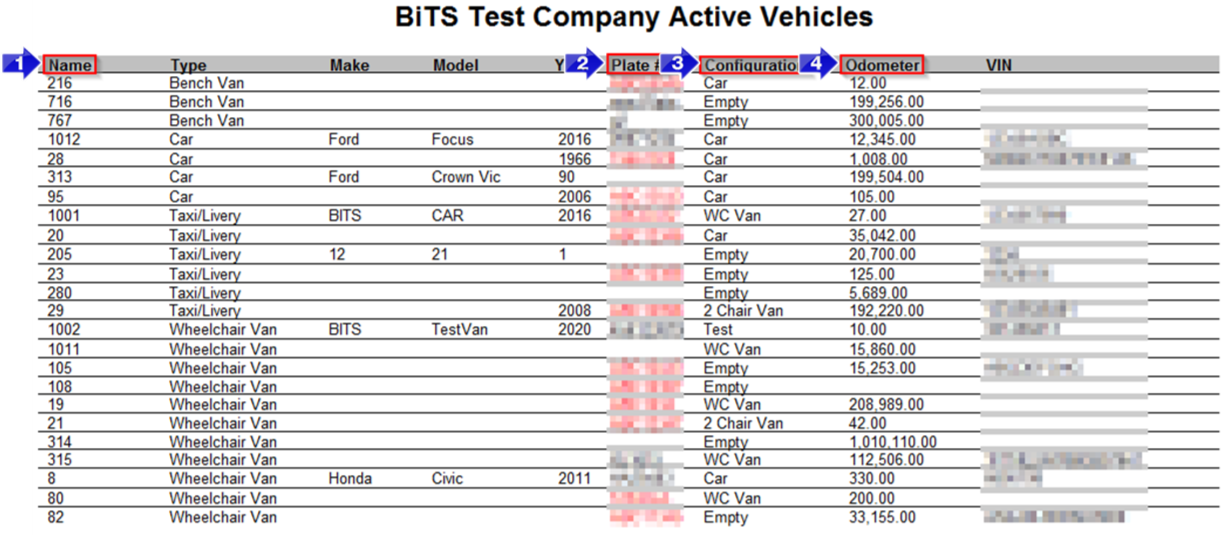
1. The Name is the number or name used to identify a specific vehicle.
2. This column shows the license Plate #. If it is expired, this field will be red.
3. The Configuration column shows the vehicle capacity type.
4. The vehicle's current Odometer reading will be displayed in this column.
Note: The Odometer reading pulls from the Vehicle Profile. It can be updated by using the pre or post Vehicle Checklist, or during status updates on each RB Mobile trip.
Key Terms: Active, Capacity, Make, Model, Odometer, Plate #, Report, Vehicle, VIN, ReportingFormHelp