![New Founders Software-White.png]](https://help.intelligentbits.com/hs-fs/hubfs/New%20Founders%20Software-White.png?height=50&name=New%20Founders%20Software-White.png)
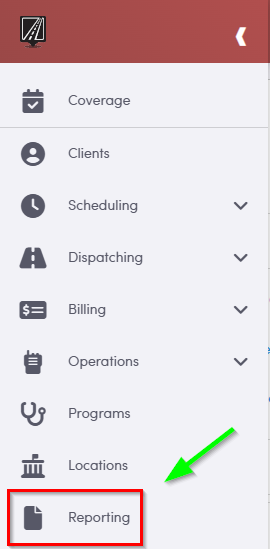
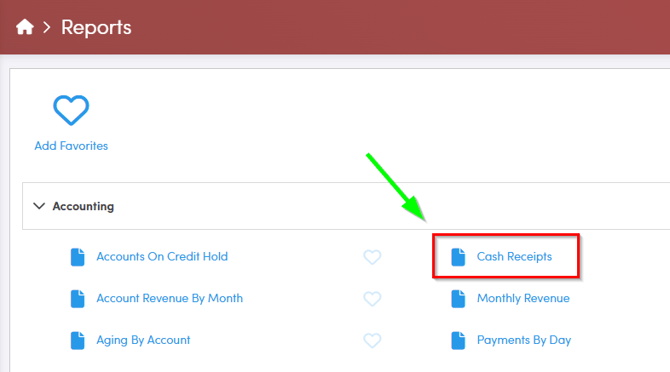
Navigate to the Reporting tab, then select Accounting. Within Accounting select Cash Receipts.
1. Click Cash Receipts.
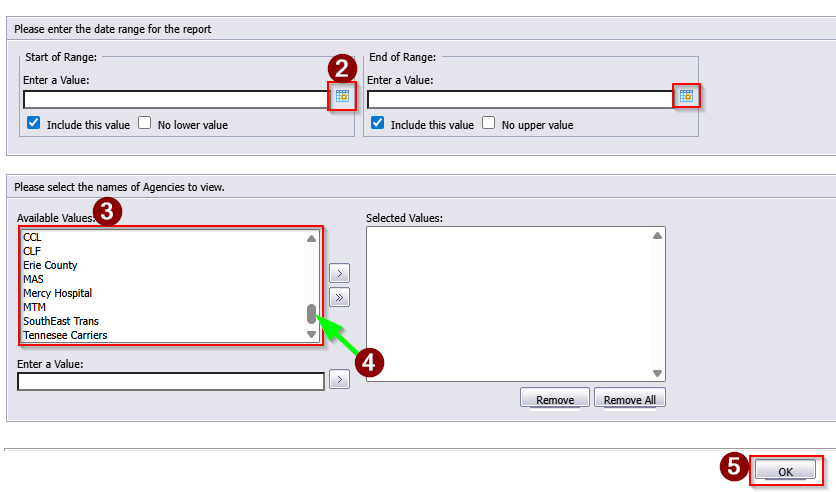
2. Click the calendar icons to select the beginning and end dates.
3. Double-click the Account(s) you would like to view.
4. If the account is not visible, use the slider to view more options.
5. Click OK to generate the report.
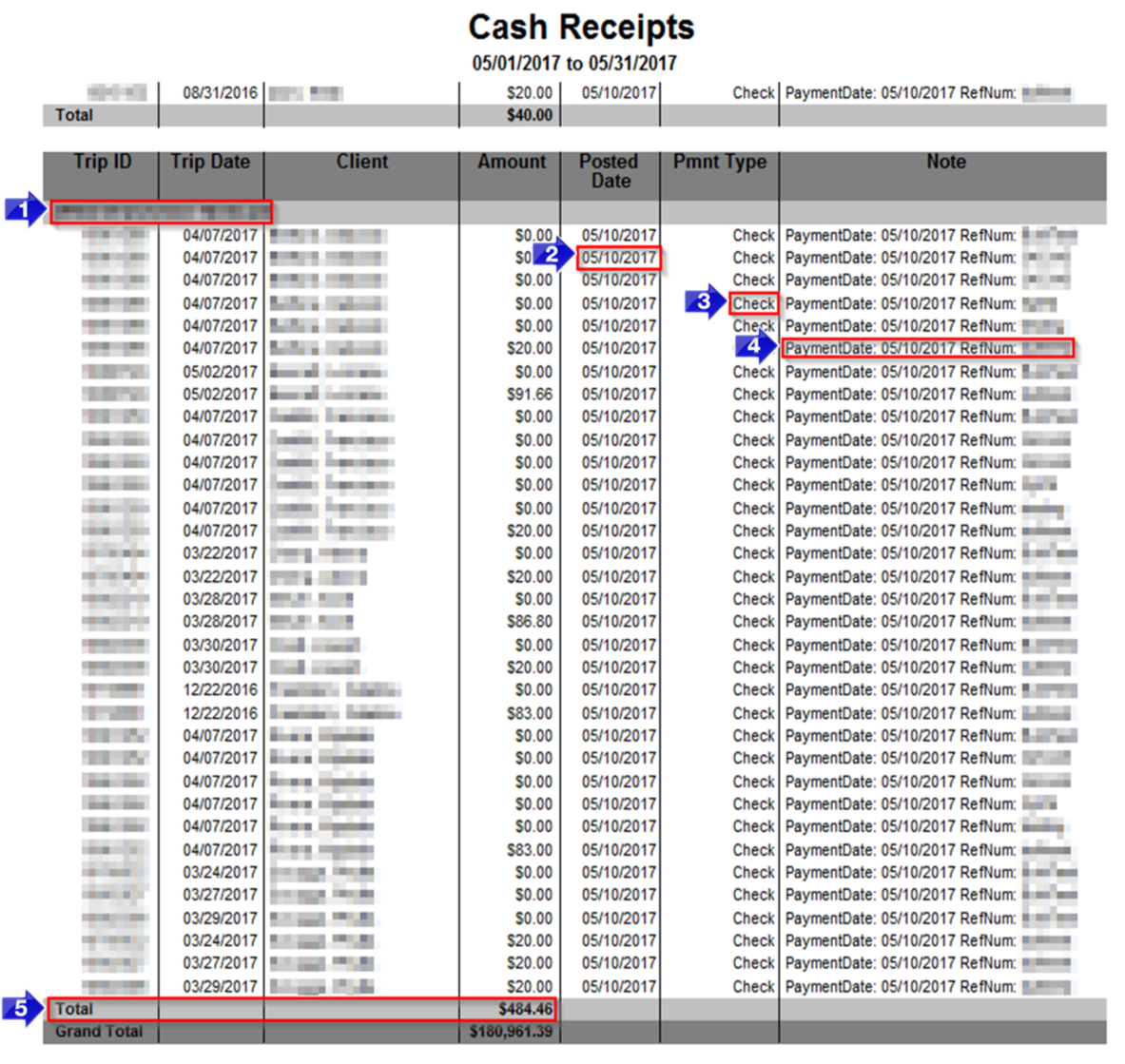
1. The account ID and name will be displayed here.
2. The Posted Date of the payment will be displayed in this column.
3. The method of payment will be displayed in the Pmnt Type column.
4. The Note column will populate with any notes added on the payment.
5. The Total Amount paid by an account will be displayed here.
Key Terms: Account, Billing, Cash, Client, Payment Method, Receipt, Report, ReportingFormHelp