![New Founders Software-White.png]](https://help.intelligentbits.com/hs-fs/hubfs/New%20Founders%20Software-White.png?height=50&name=New%20Founders%20Software-White.png)
Navigate to the Reporting tab, then select Operations: Dispatch.
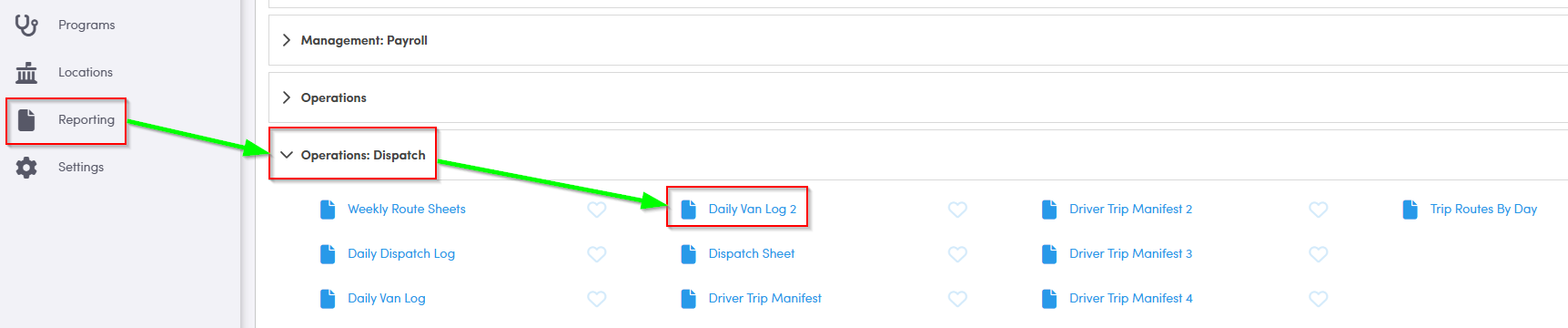
1. Double click Daily Van Log 2.
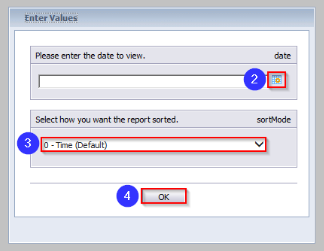
2. Click the calendar and select the date you would like to view.
3. Choose whether you would like the report sorted by Time or Route from the drop-down menu.
4. Click OK to generate the report.
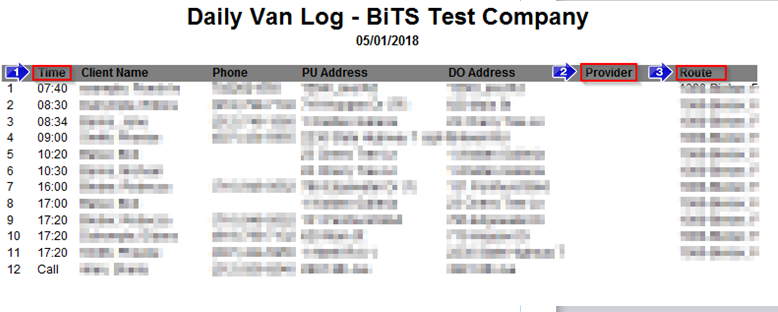
1. This column contains the PU Time. If a trip is a Will Call, this field will say Call.
2. If there is a Provider on the Trip Scheduling screen for this trip, the name will be displayed here.
3. The assignment attached to this trip will be displayed in the Route column.
Key Terms: Assignment, Phone, Provider, Report, Vehicle, ReportingFormHelp