![New Founders Software-White.png]](https://help.intelligentbits.com/hs-fs/hubfs/New%20Founders%20Software-White.png?height=50&name=New%20Founders%20Software-White.png)
Navigate to the Reporting tab, then select Operations: Dispatch.
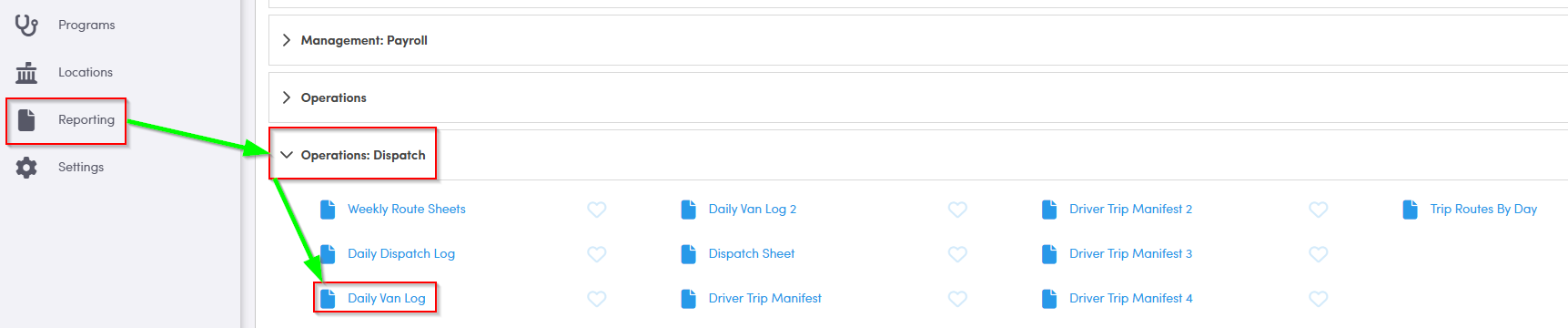
1. Double-click Daily Van Log.
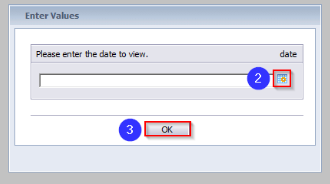
2. Click the calendar icon to select the date you would like to view.
3. Click OK to generate the report.
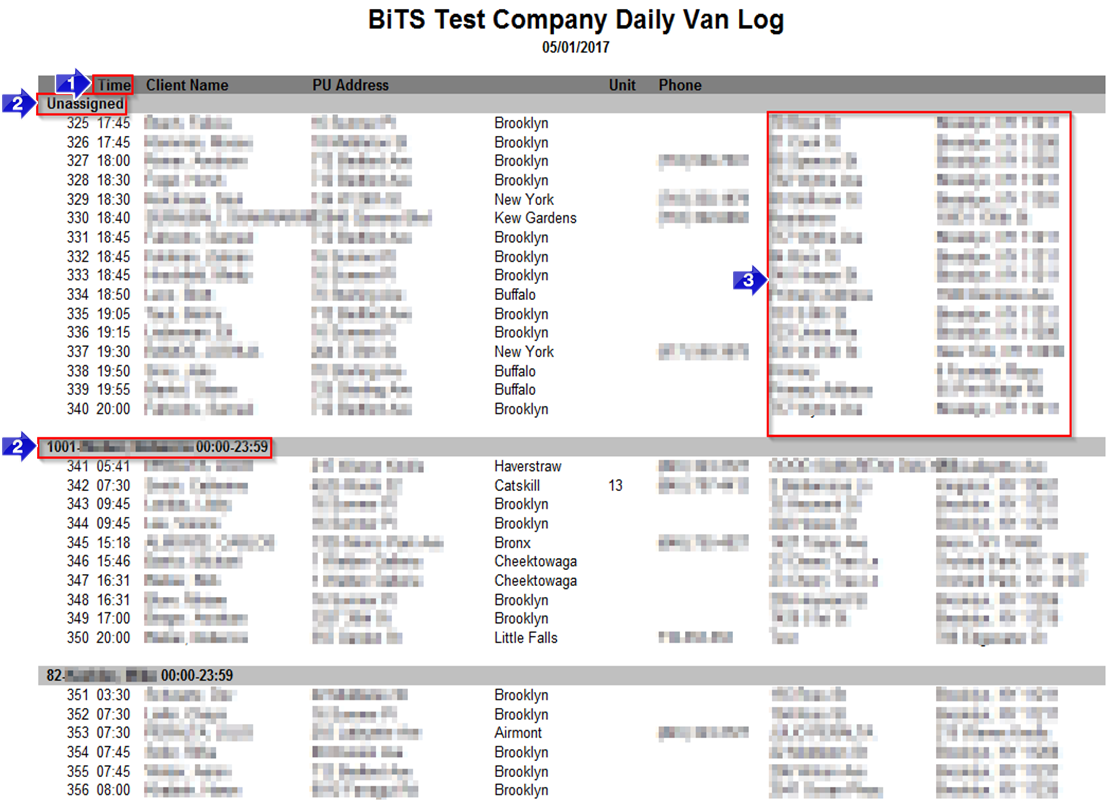
1. This field populates with the PU Time. If this field says Call, it is a WillCall trip.
2. This field indicates whether the trips below have an assignment, are Unassigned or Unassigned – Callback.
3. The DO address will populate in these columns.
Key Terms: Assignment, Client, DO Address, Phone, PU Address, PU Time, Report, Unassigned, Vehicle, WillCall, ReportingFormHelp