![New Founders Software-White.png]](https://help.intelligentbits.com/hs-fs/hubfs/New%20Founders%20Software-White.png?height=50&name=New%20Founders%20Software-White.png)
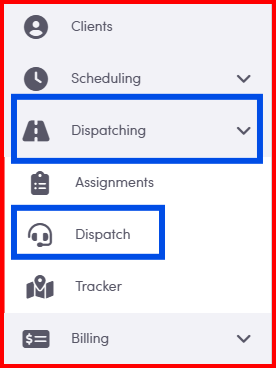
Select the Dispatching category then select Dispatch.
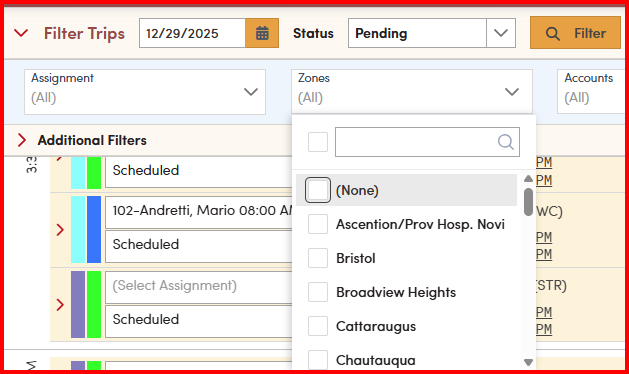
1. From the Zones drop-down, select the Zone that you would like to view. Selecting <None> will show all trips that do not fall in a zone.
2. The PU Zip or the DO Zip determines how the zone is filtered. This can be selected in System Settings.
Navigate to the Settings category and select System Settings.

In the Value column, under the ROUTE_ZONE_FILTER_STOP_TYPE setting select P to filter by the Pick Up zip code and D to filter by the Drop Off zip code. P is set by default.
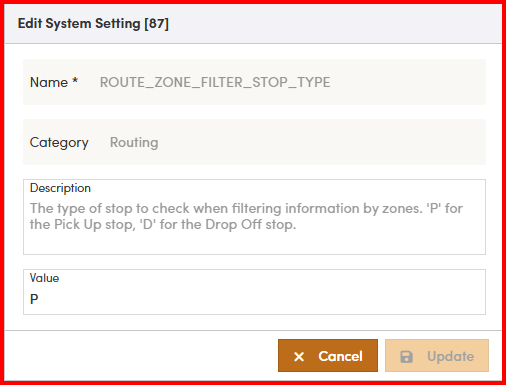
Save your changes by selecting Update.