![New Founders Software-White.png]](https://help.intelligentbits.com/hs-fs/hubfs/New%20Founders%20Software-White.png?height=50&name=New%20Founders%20Software-White.png)
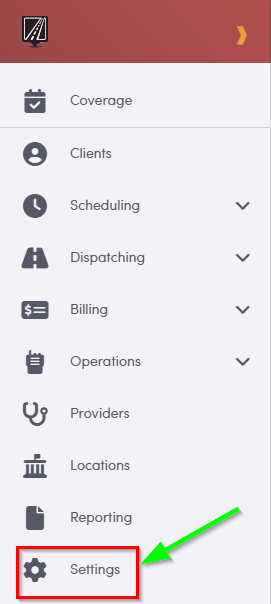
From the left-side menu, navigate to Settings
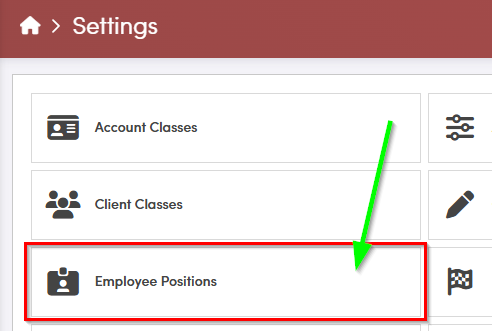
In the Settings window, click **Employee Positions** to begin adding a new position to the system.
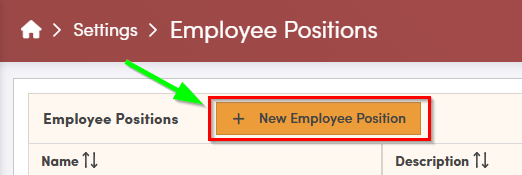
In the Employee Positions screen select New Employee Position to create a new position.
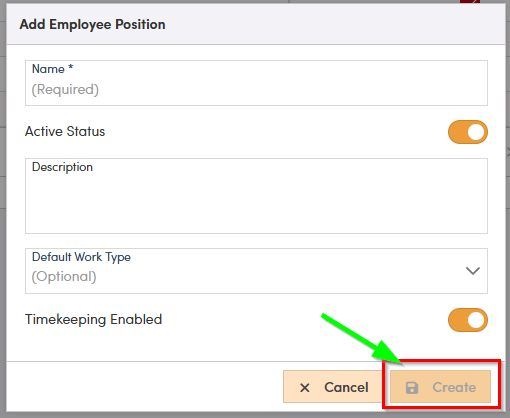
A new window will open.
Enter the Name of the position; this is a required field and should clearly identify the role.
The Status field is set to Active by default, which means the position will be available for use as soon as it is created.
Use the Description field to document the primary responsibilities and the overall purpose of the position. A clear description helps your team understand how and when this role should be used.
Default Work Types are optional and can be configured if certain work types are commonly associated with this position.
Timekeeping is enabled by default for all new positions so that time can be tracked against them. If time tracking is not needed for this role, you can turn this setting off.
After you have reviewed and selected all options, click Create to add the new position.