![New Founders Software-White.png]](https://help.intelligentbits.com/hs-fs/hubfs/New%20Founders%20Software-White.png?height=50&name=New%20Founders%20Software-White.png)
Navigate to the Reporting tab, then select the Management.
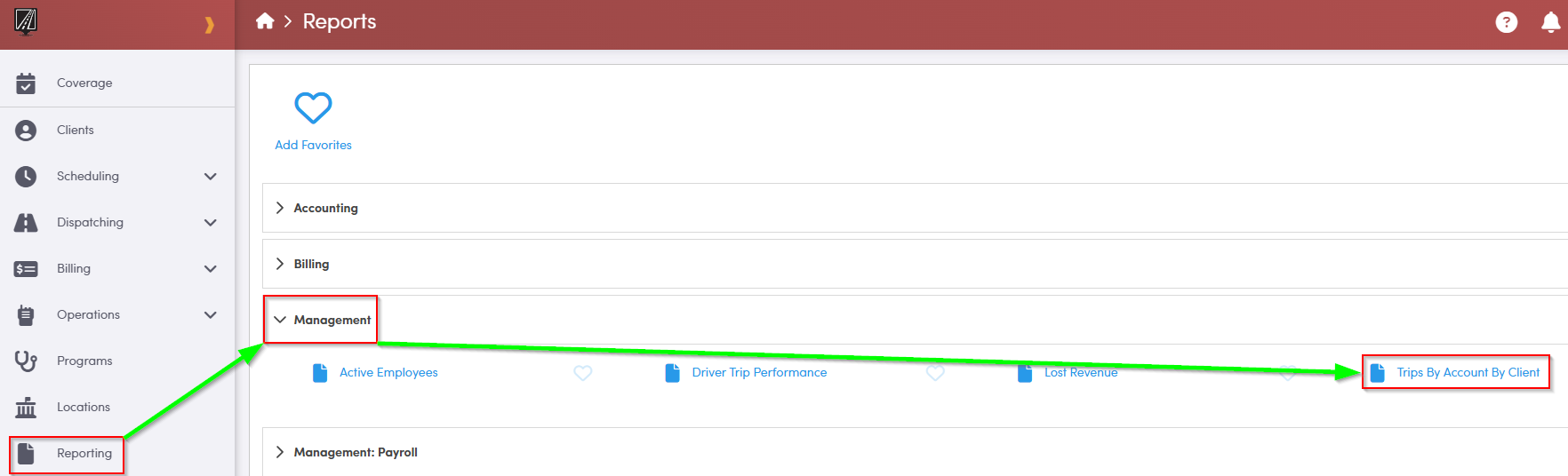
1. Double-click Trips By Account By Client.
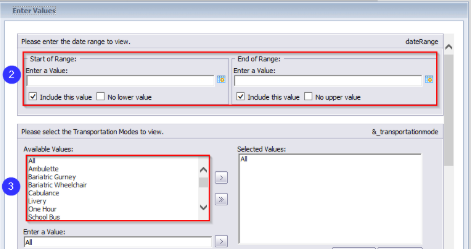
2. Select a start and end date by clicking the calendar icons.
3. Double-click the Mode(s) you would like to view.
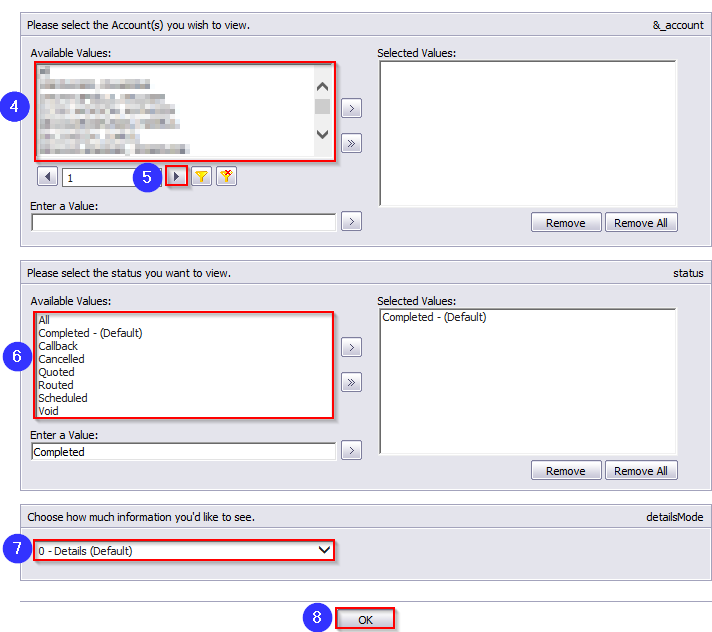
4. Double-click the Account(s) you would like to view.
5. Use the drop-down arrow to view more options if your account is not visible in the grid.
6. Double-click the Trip Status(es) you would like to view.
7. Select how much trip information you would like to see.
8. Click OK to generate the report.
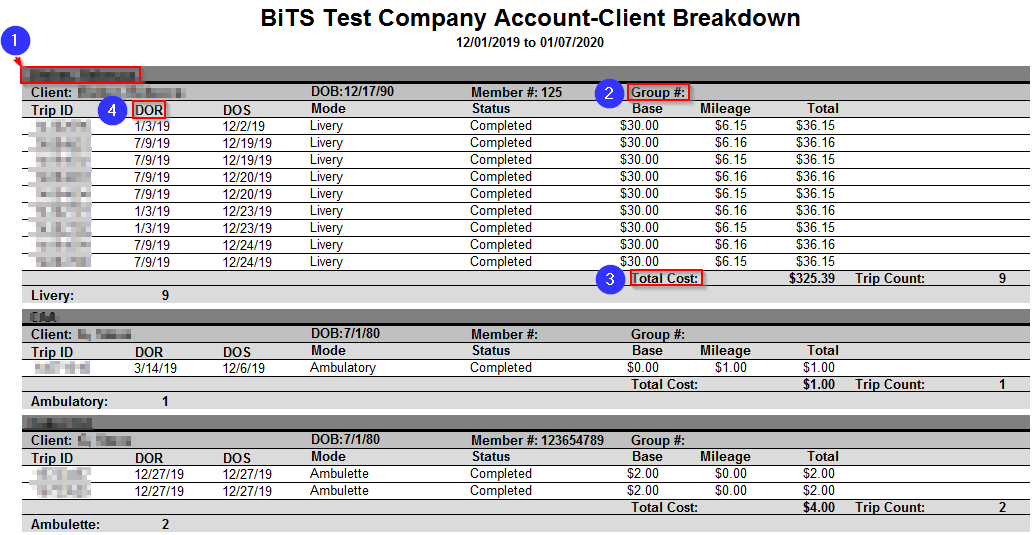
1. The account is displayed here.
2. The Group # entered for the account in the Client Profile is displayed here.
3. The Total Cost displays the total cost for all of the client’s trips in a specific date range.
4. The DOR column displays the date on record that the trip was created in RoutingBox.